
The public website
A property website buyers actually use
Search homes to buy or rent, follow a building as it goes up, work out the monthly loan cost and track a flat after booking. Every enquiry goes straight to your team.
 Available on request
Tenels Properties is a public property website for your buyers and a back office for your team. Buyers search and follow a building as it goes up; your team works the same records from the first enquiry to the last instalment.
One product, two apps
The public website
Search homes to buy or rent, follow a building as it goes up, work out the monthly loan cost and track a flat after booking. Every enquiry goes straight to your team.
The back office
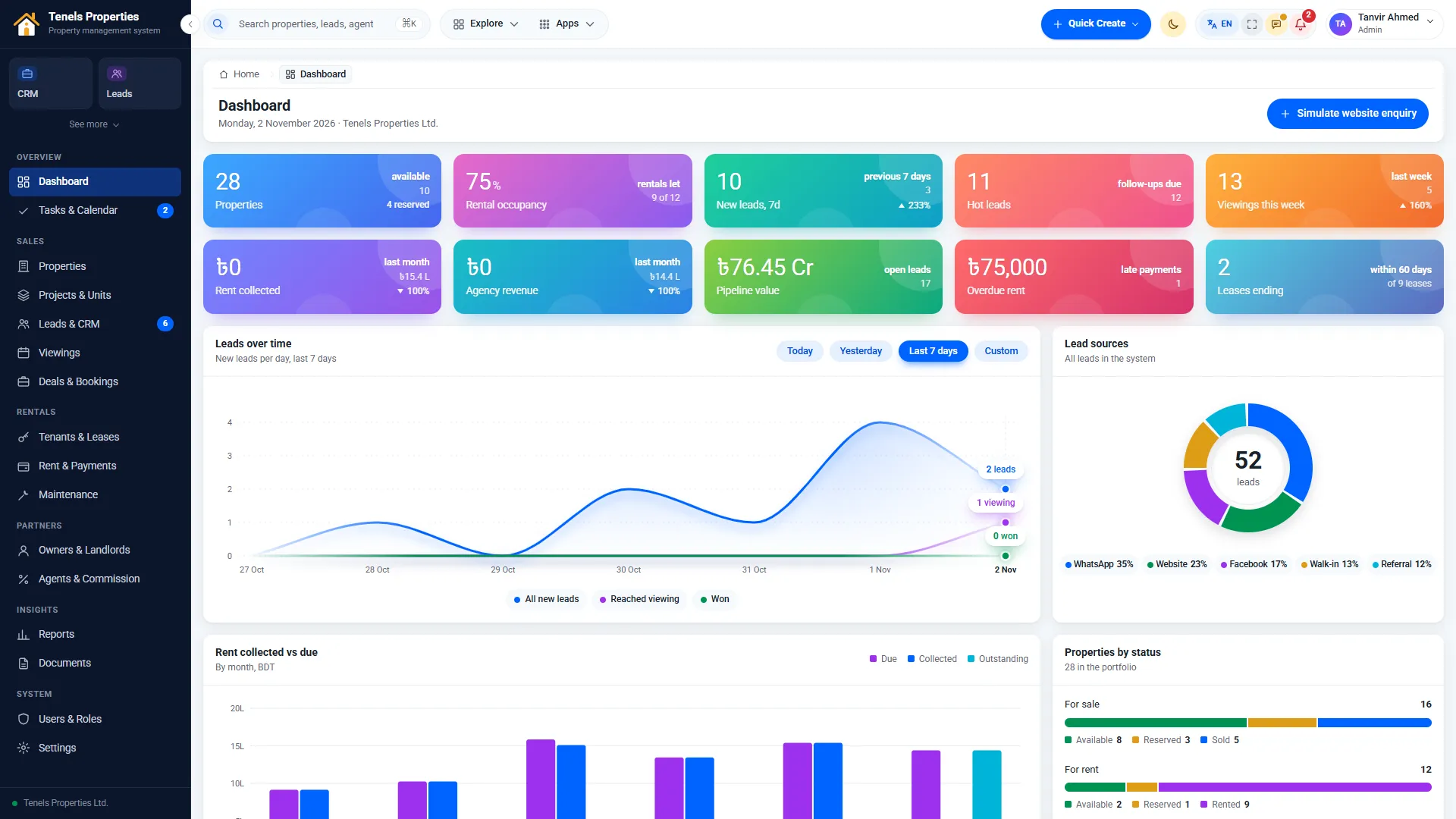
Listings, leads, viewings, deals, rent, repairs and reports in sixteen modules, with roles so each person sees only what they should.
Why teams switch
Listings in one sheet, leads in a chat app, payments in a notebook. Tenels Properties puts them on the same records, so nothing falls between people and the numbers match.
Product tour
Start the day with the portfolio, rental occupancy, new and hot leads, viewings and pipeline value already worked out.
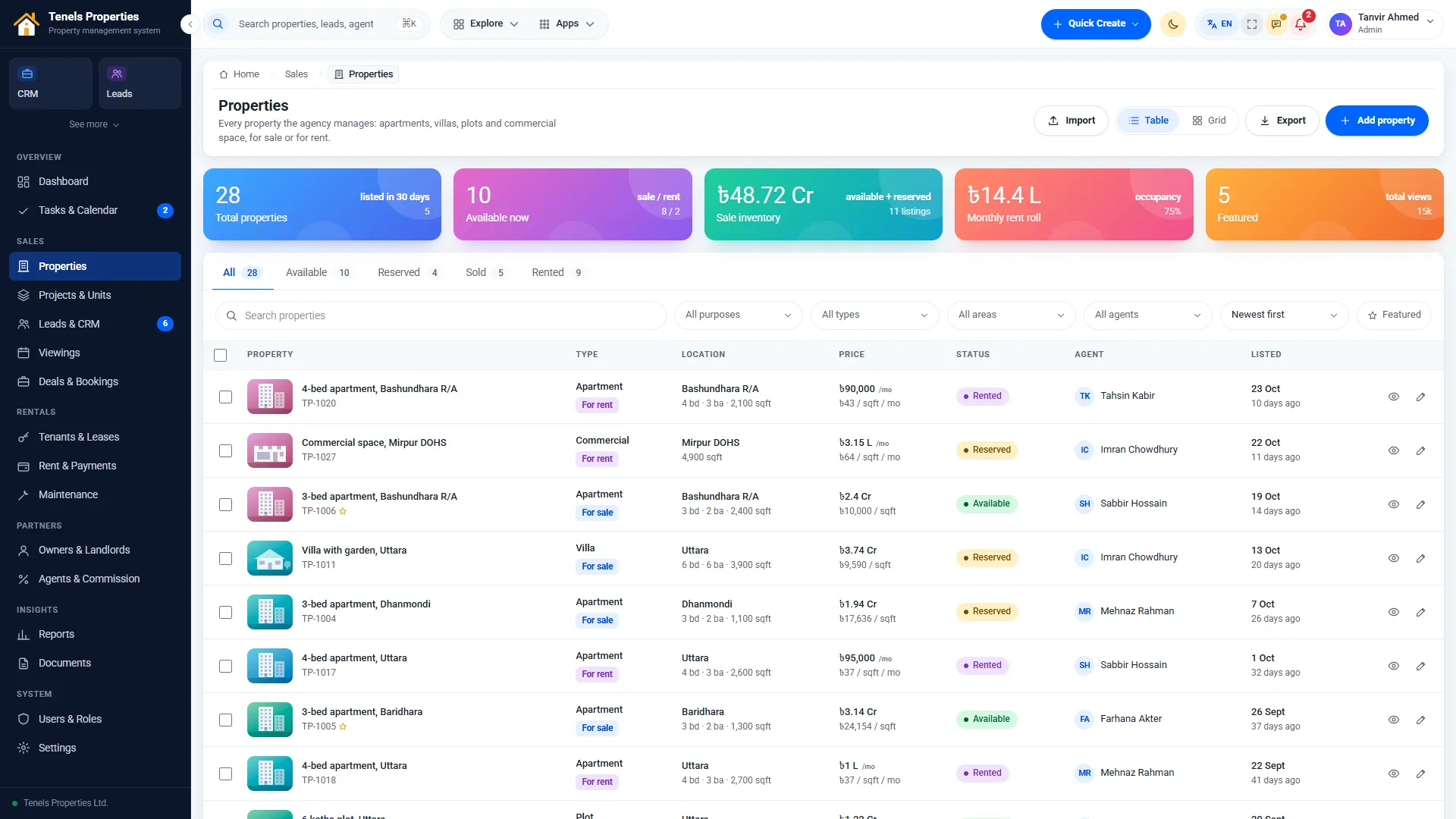
Apartments, villas, plots and commercial space, for sale or to let. Filter by purpose, type, area or agent.
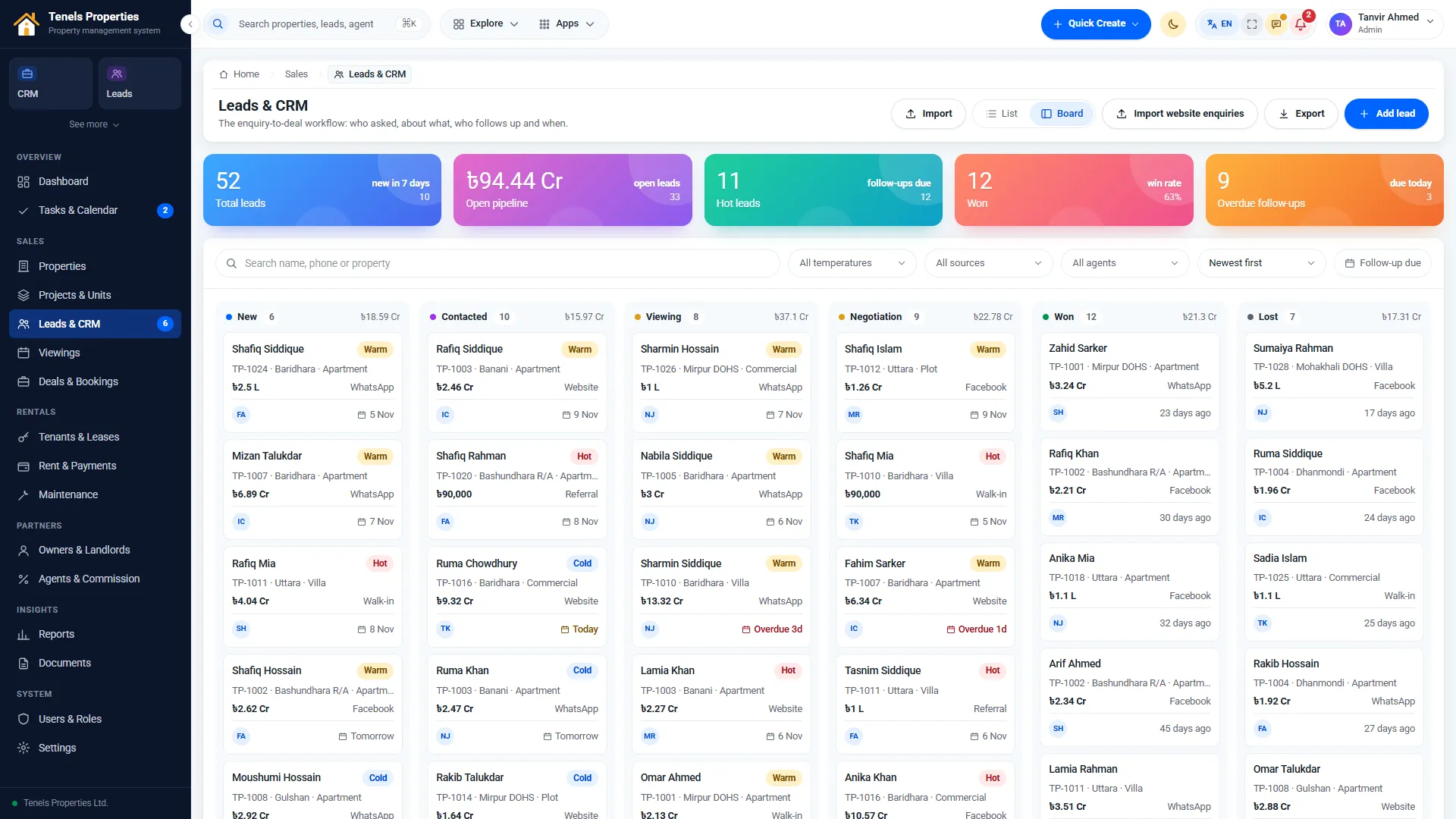
See who asked, about what, who follows up and when. Work the pipeline as a list or drag it across a board.
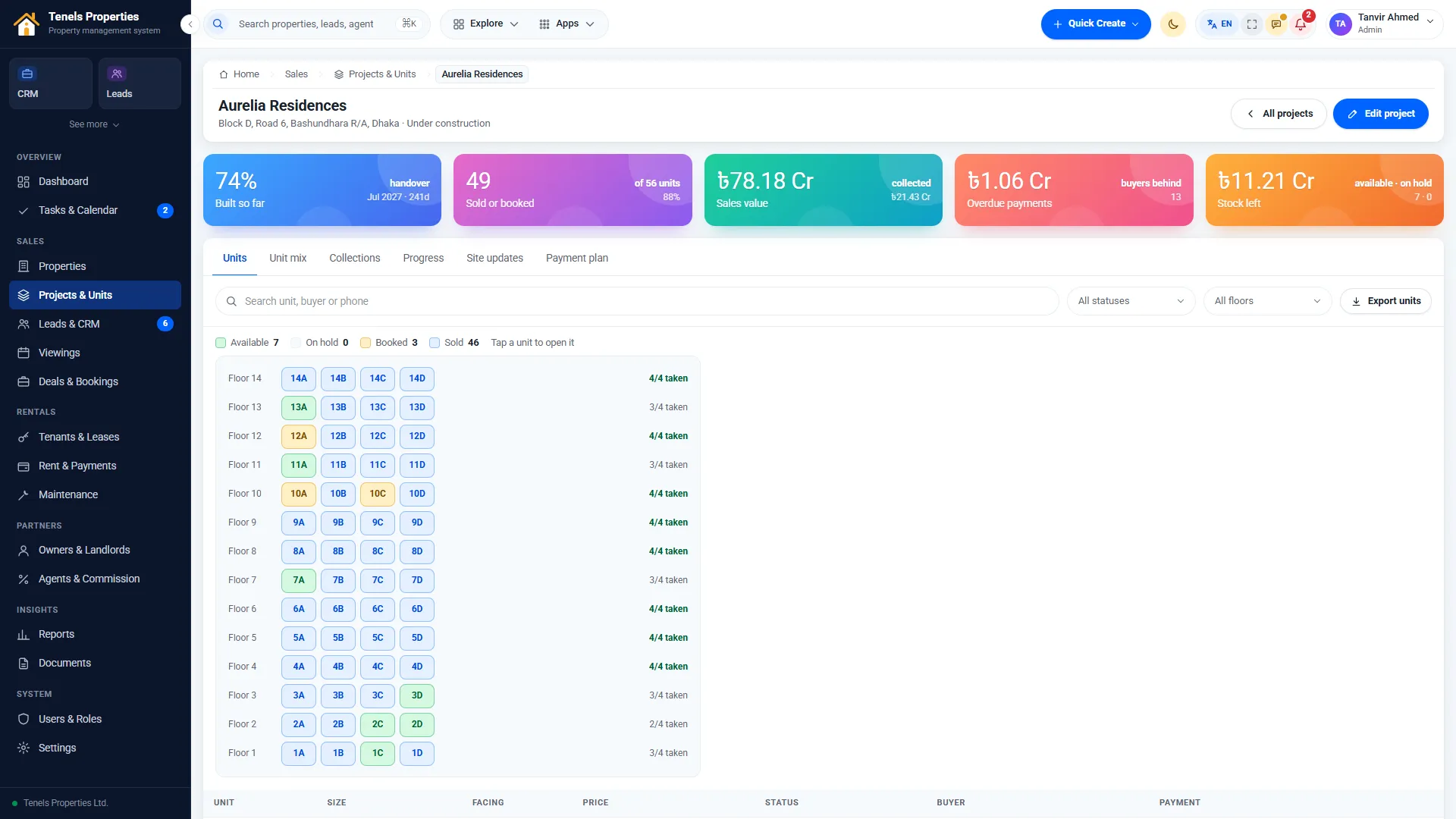
A floor-by-floor map shows which units are available, on hold, booked or sold. Tap any unit to open it.
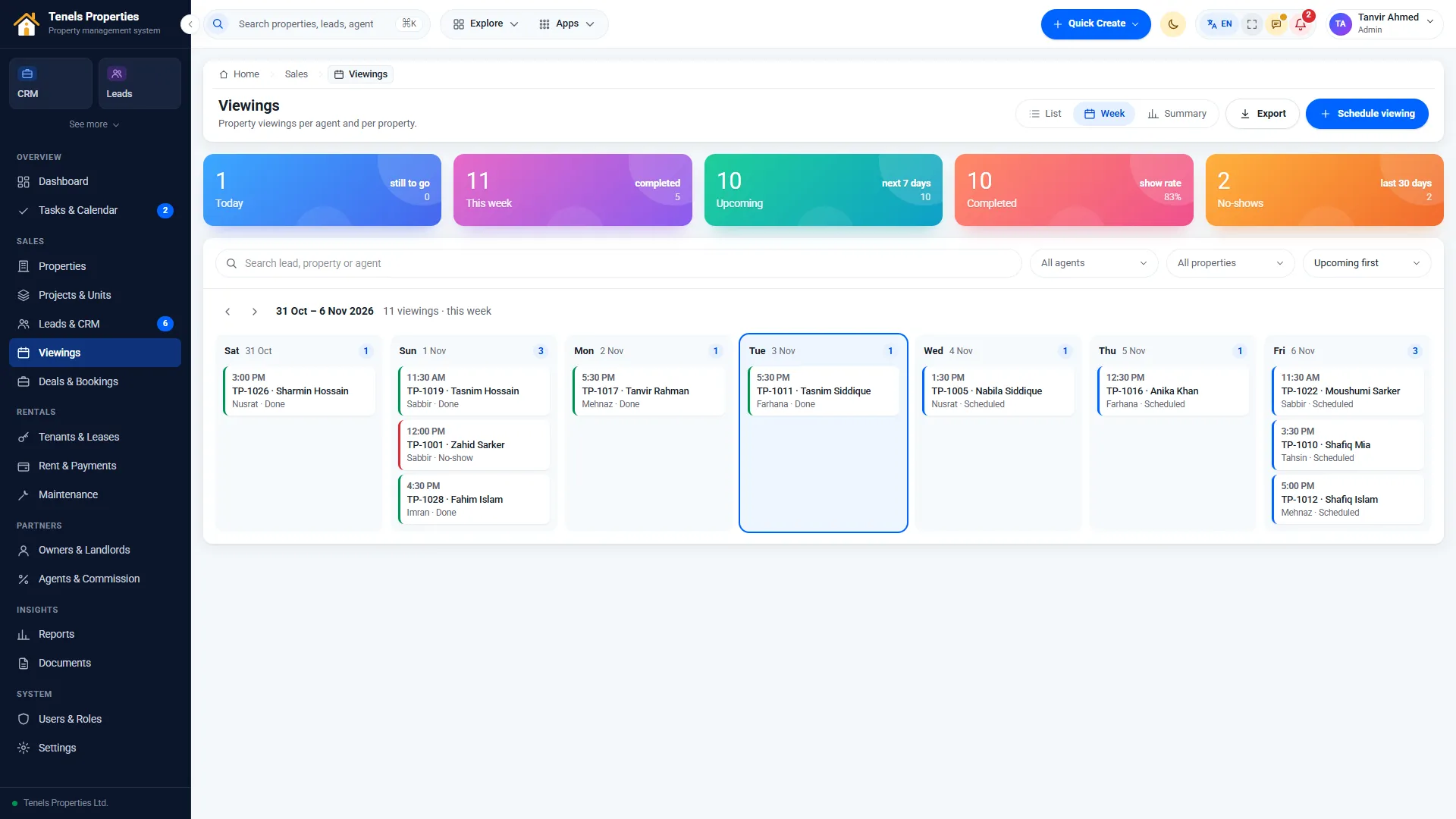
A weekly calendar per agent and property, with what is done, scheduled or missed marked clearly.
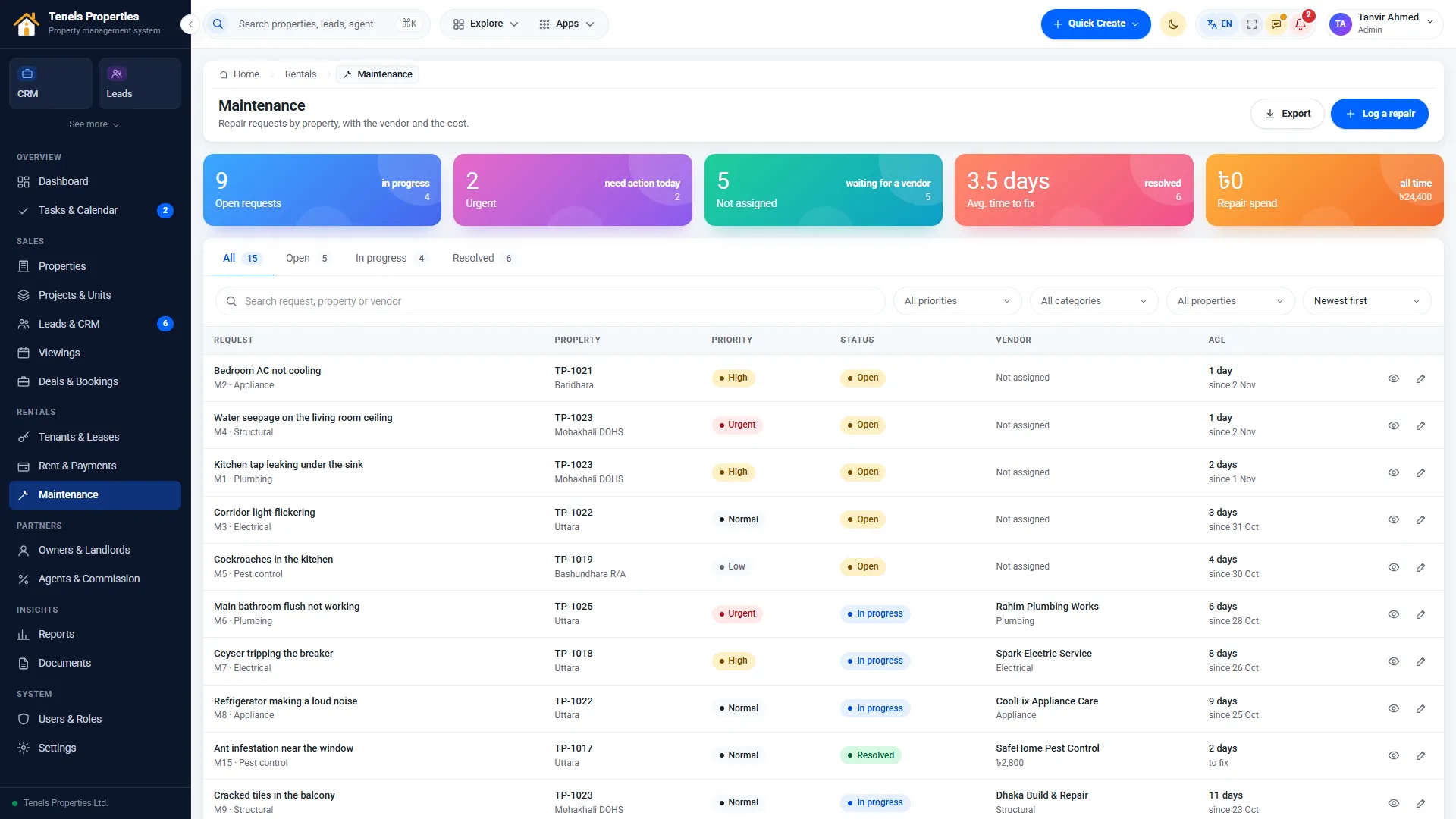
Rent due, collected and overdue by month, and repair requests tracked from the first report to the vendor invoice.
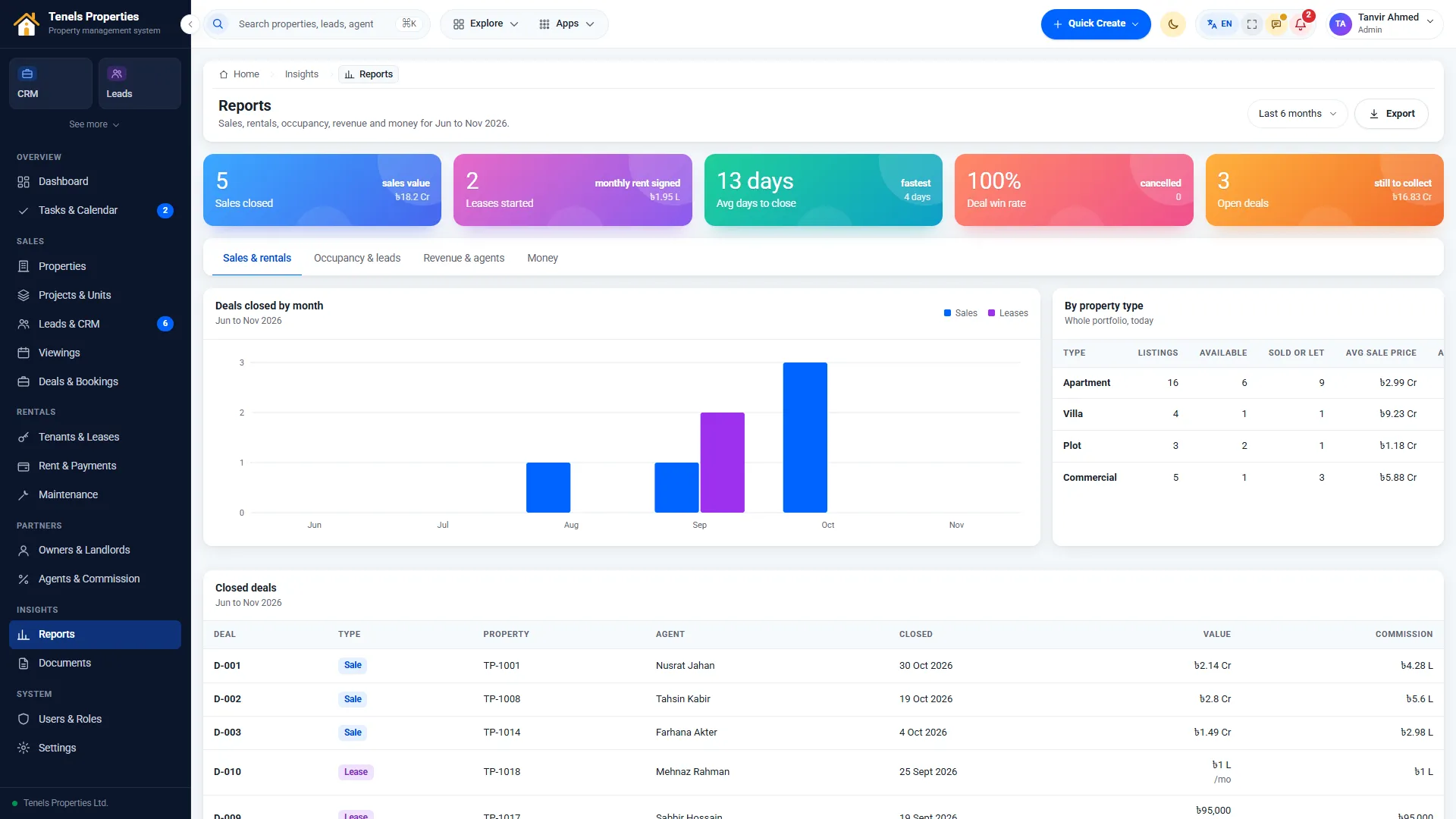
Sales, rentals, occupancy, revenue and money for any period, with the closed deals behind every figure.
The public website
The storefront your buyers use, built on the same records as the back office.
01
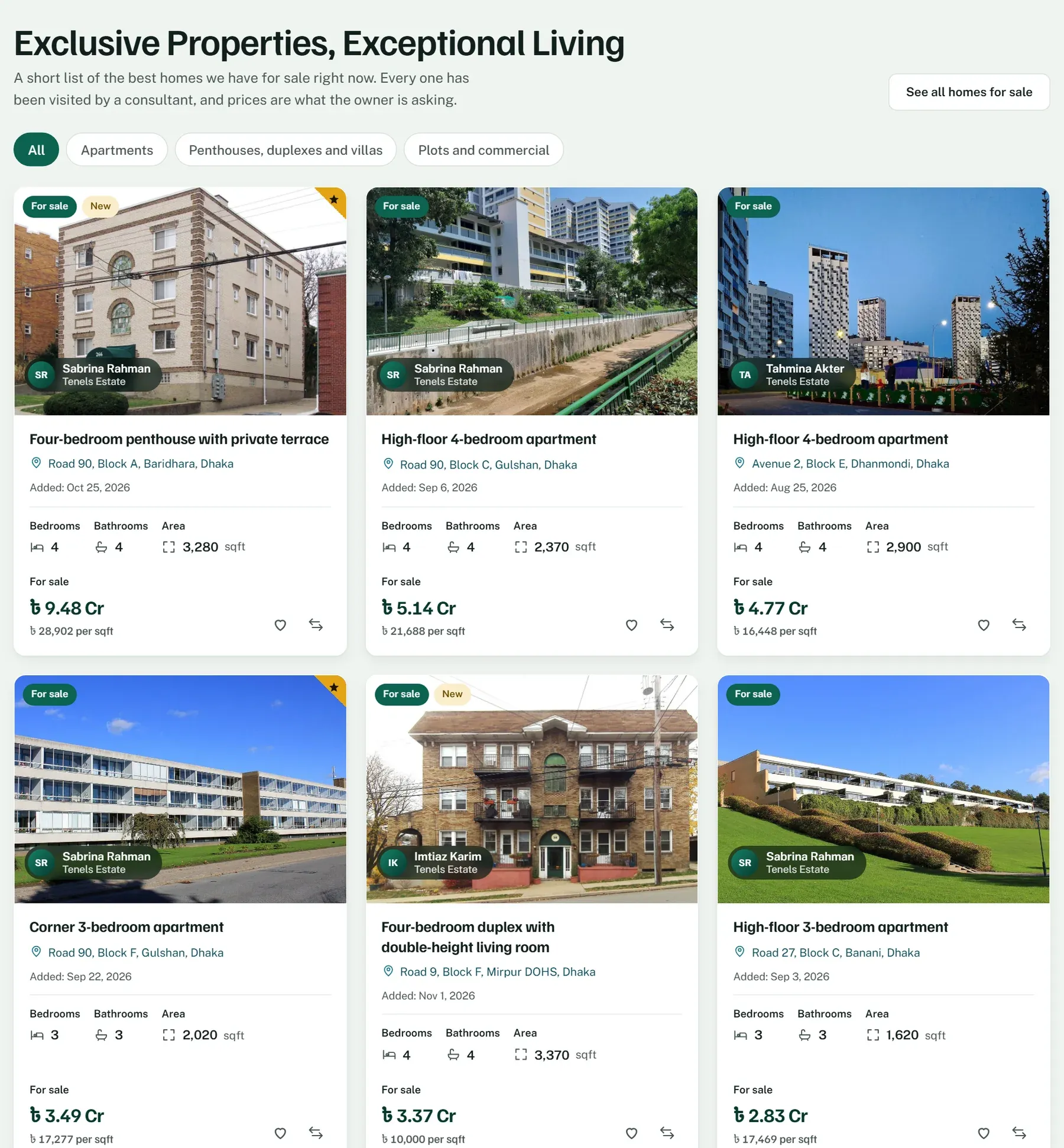
A short list of the best homes for sale, filtered by apartments, villas or plots. Each card shows the price, the price per square foot, the area and the size, with a heart to save it and a button to compare.
02
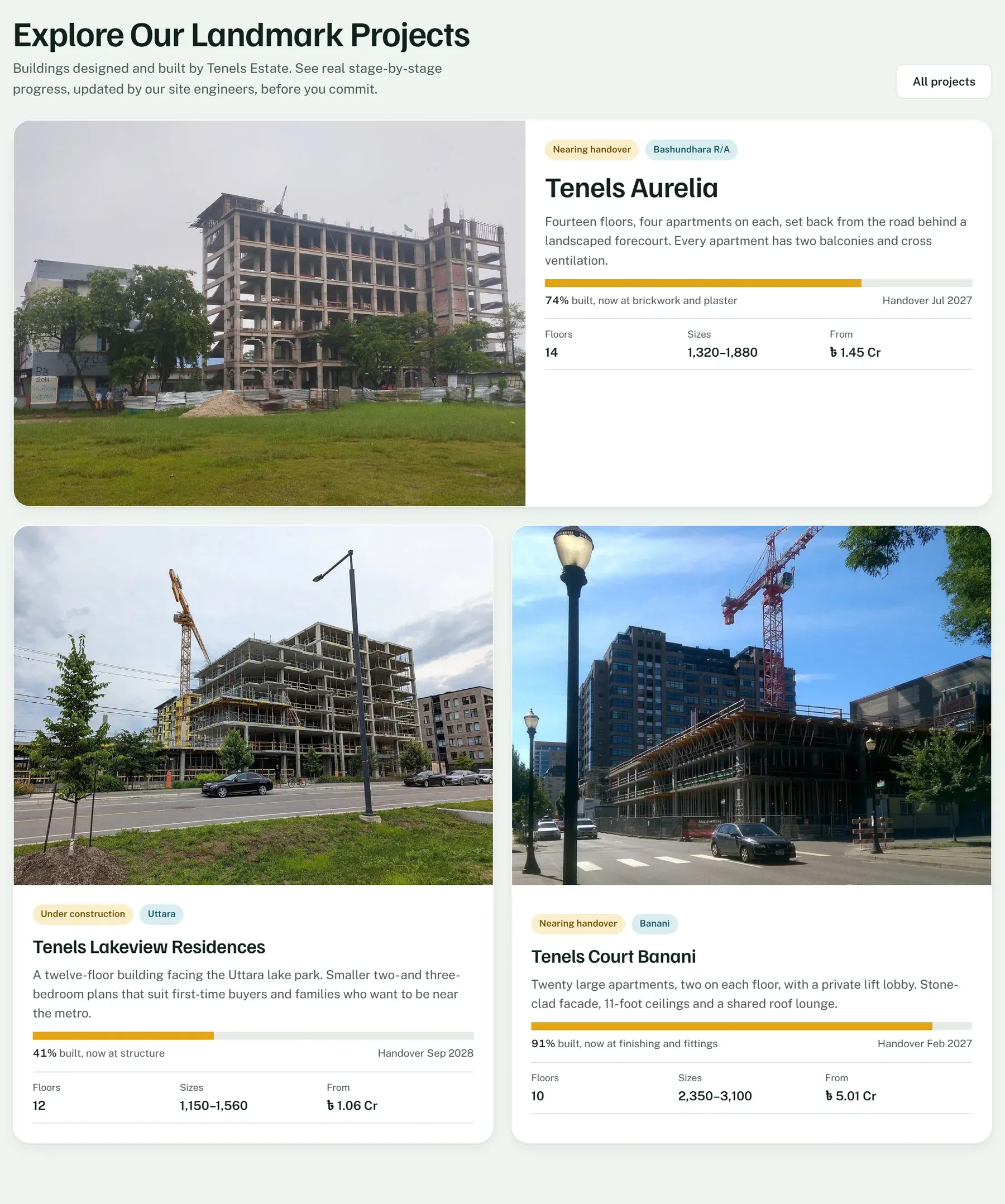
Each development has its own card with a stage-by-stage progress bar, its handover date, the floors, the sizes on offer and the starting price. Buyers see how far it is built before they commit.
03
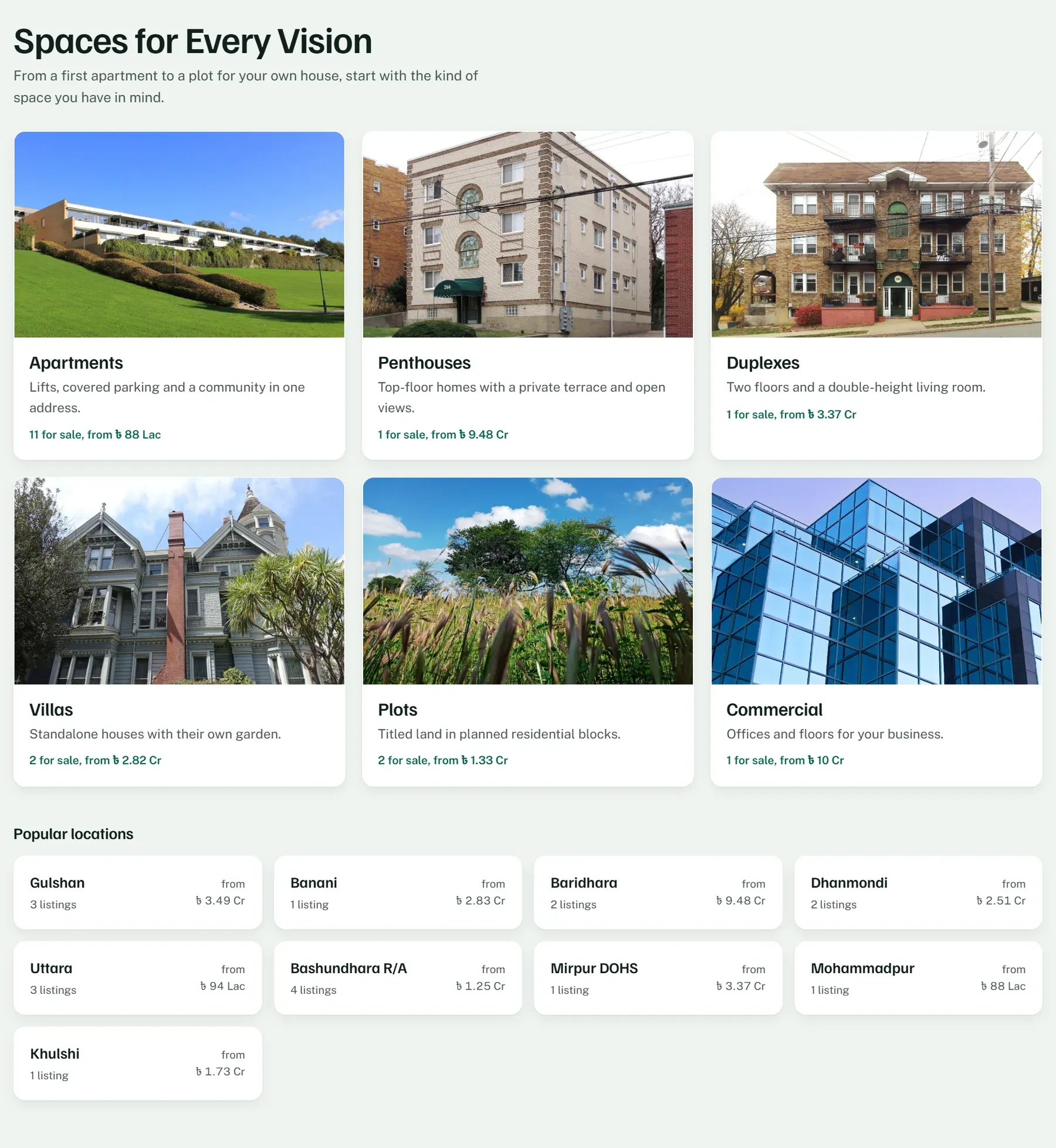
Apartments, penthouses, duplexes, villas, plots and commercial space, each with how many are for sale and the starting price, plus a list of popular locations with what is available in each.
04
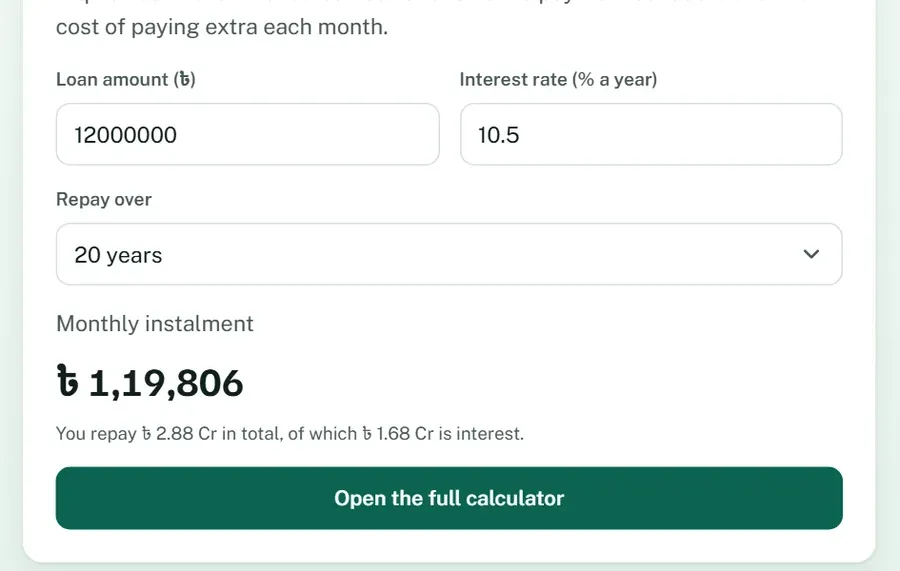
A loan calculator takes the loan amount, the interest rate and the term, and shows the monthly instalment and the total repaid. The full calculator adds the payment schedule and what paying extra each month saves.
05
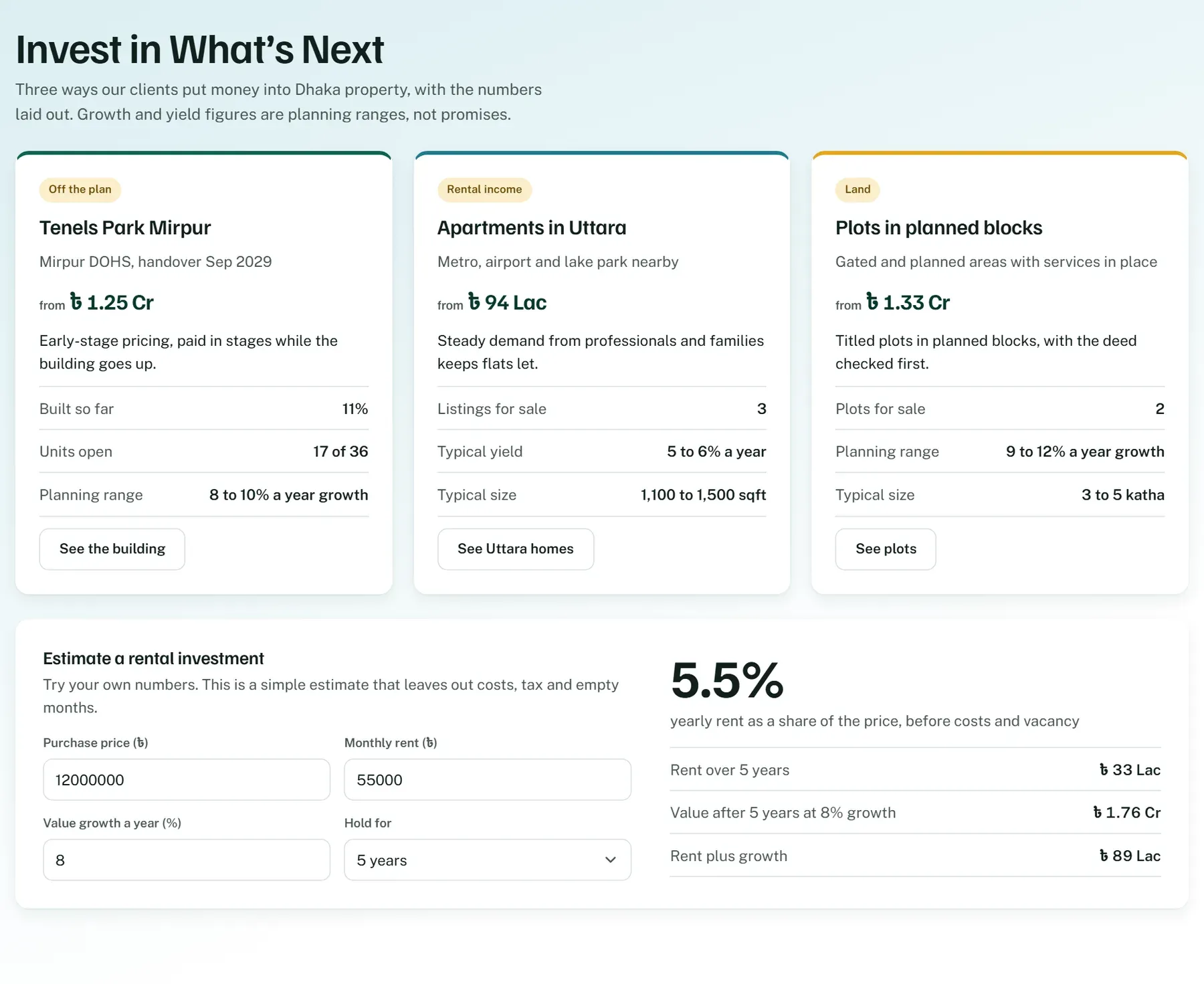
Three ways to put money into property, with the price, the progress and a planning range for each, and a rental estimator that turns a purchase price and a monthly rent into a yearly yield.
06
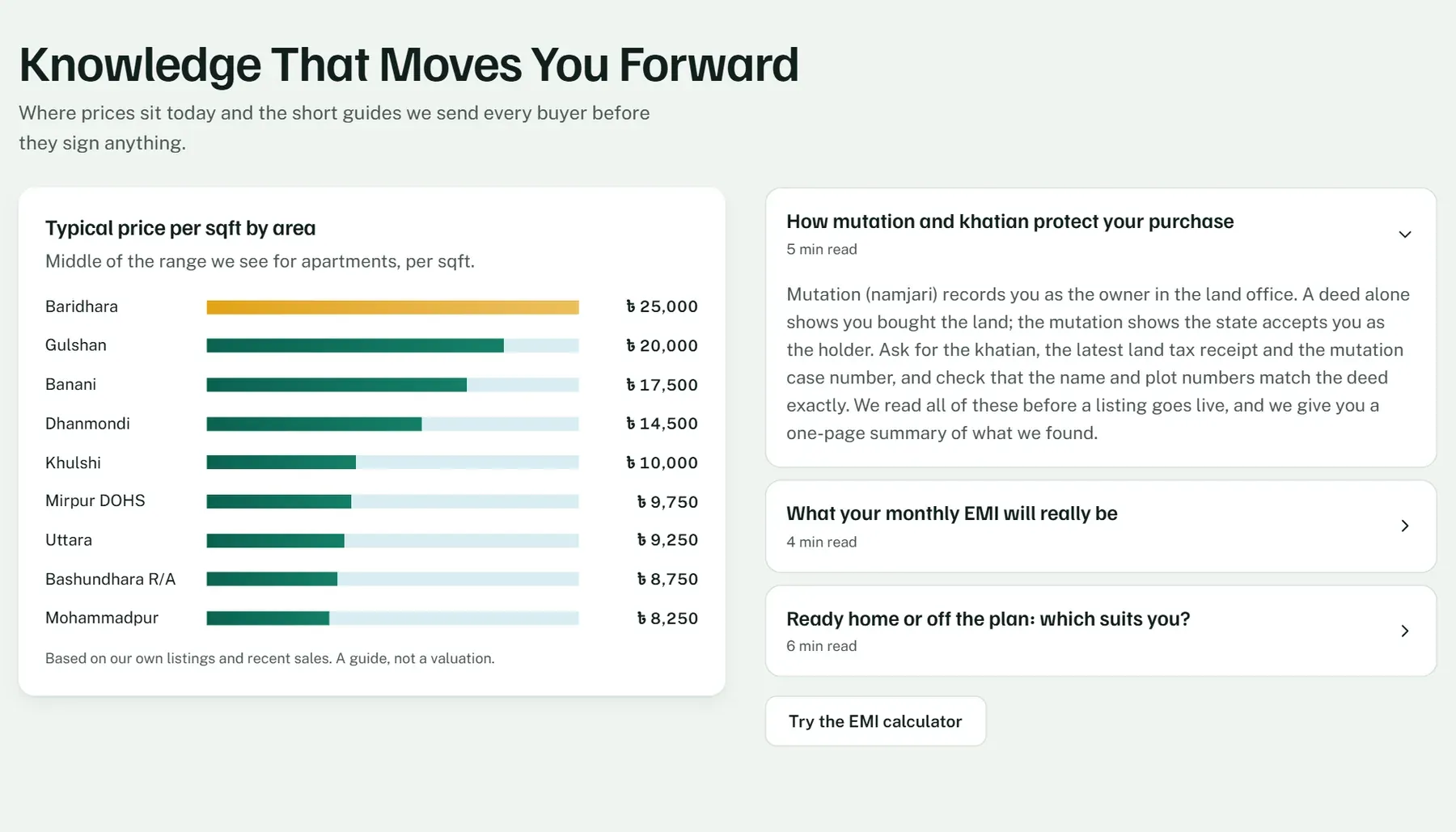
A price-per-square-foot guide by area and short articles on the things buyers worry about, such as land records and what a monthly instalment will really be. Buyers who understand the market are easier to serve.
Buyers sign in with a booking code to see their own flat.
A short form whose enquiry carries the listing or building it came from.
A page for owners who want to list a home with you.
Website enquiries can be imported into Leads & CRM, so nothing is retyped.
Built for the job
Drag leads across New, Contacted, Viewing, Negotiation, Won and Lost. Each card carries the property, budget, source and next follow-up.
Floors and units laid out at a glance, coloured by availability.
See who shows what to whom, and which viewings were missed.
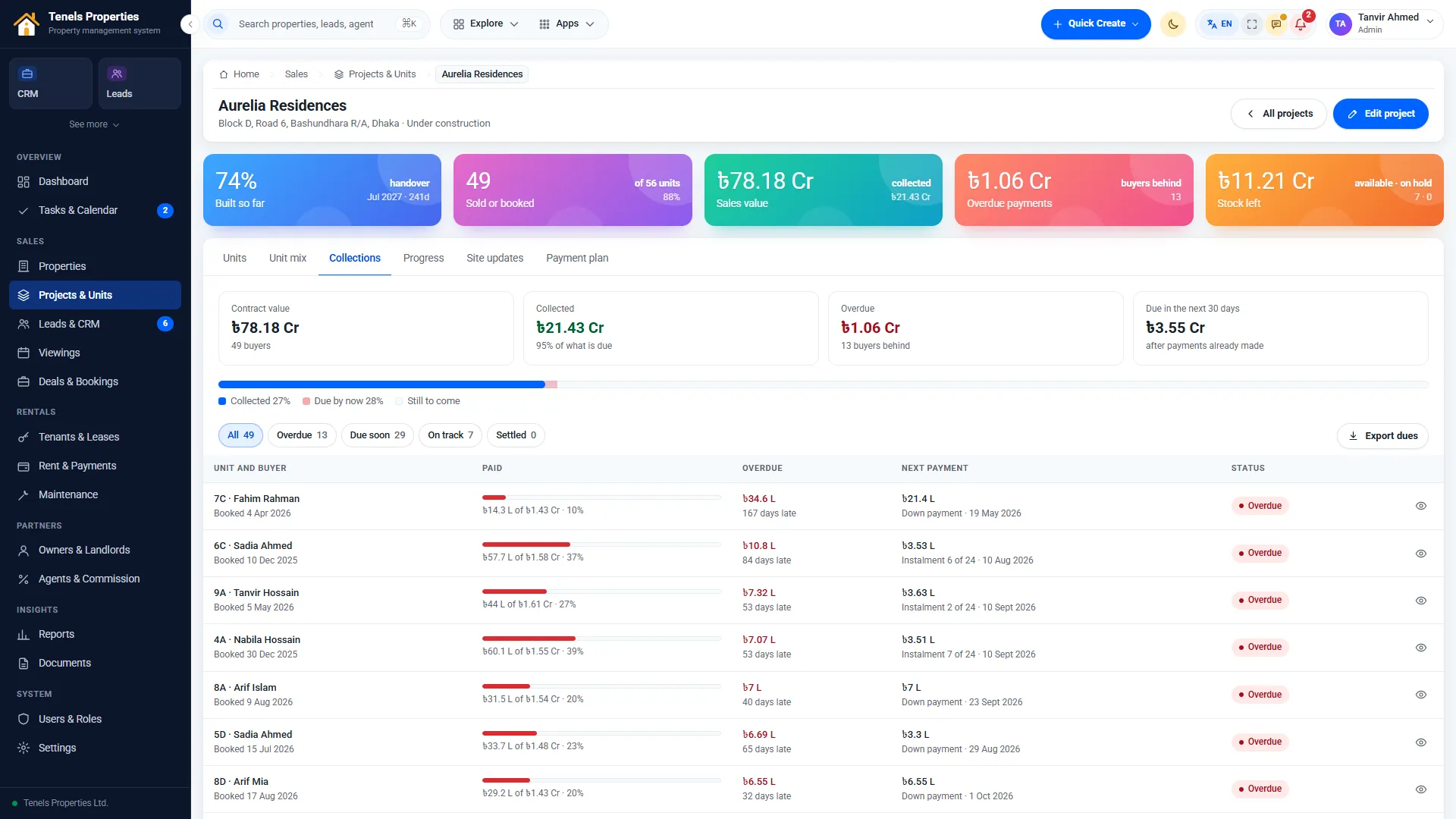
For each project, contract value, what is collected, what is overdue and what falls due in the next 30 days, down to every buyer.
For developers
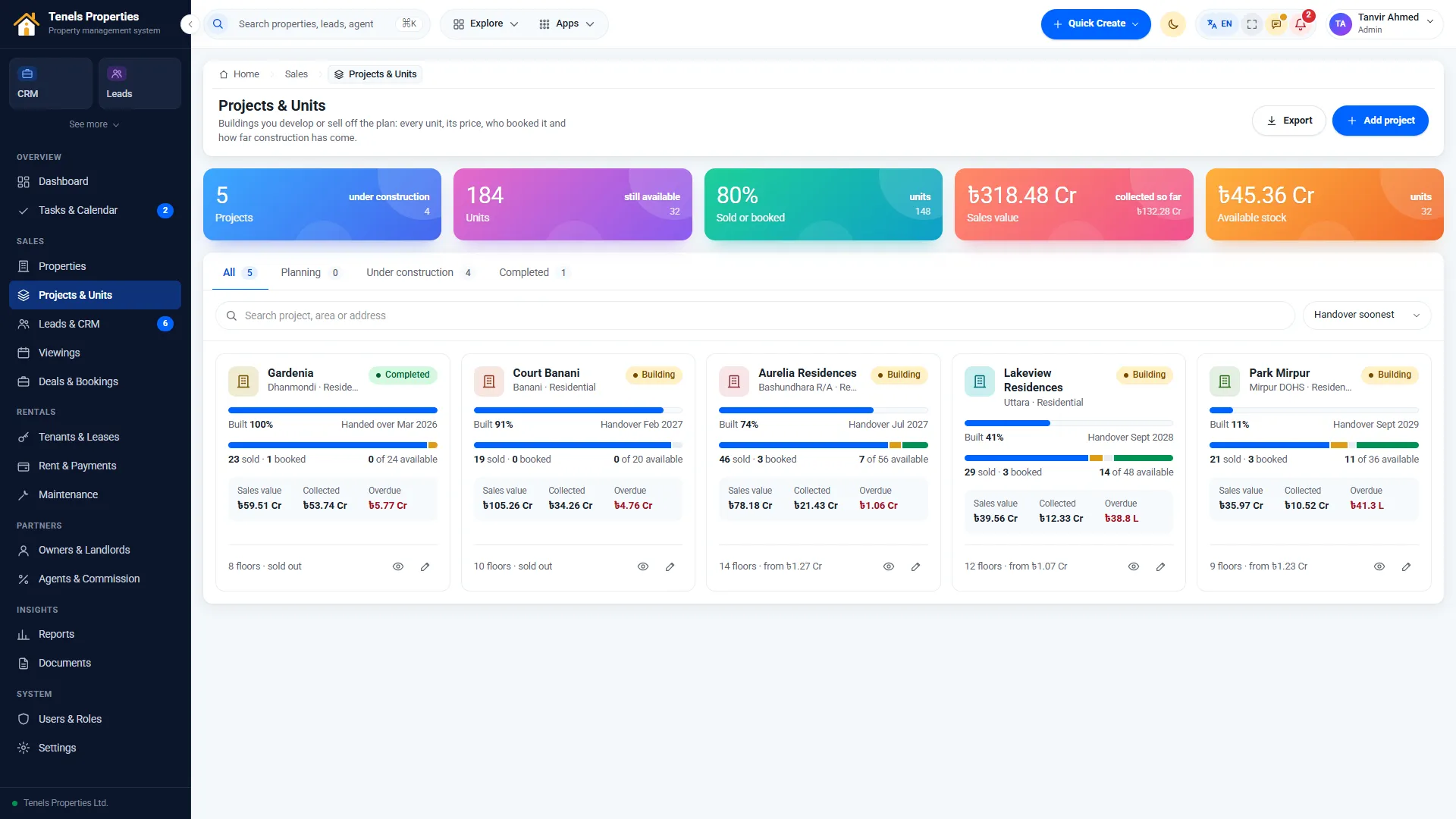
Projects & Units tracks what is built, what is sold and what has been paid, so sales, site and accounts all look at the same building.
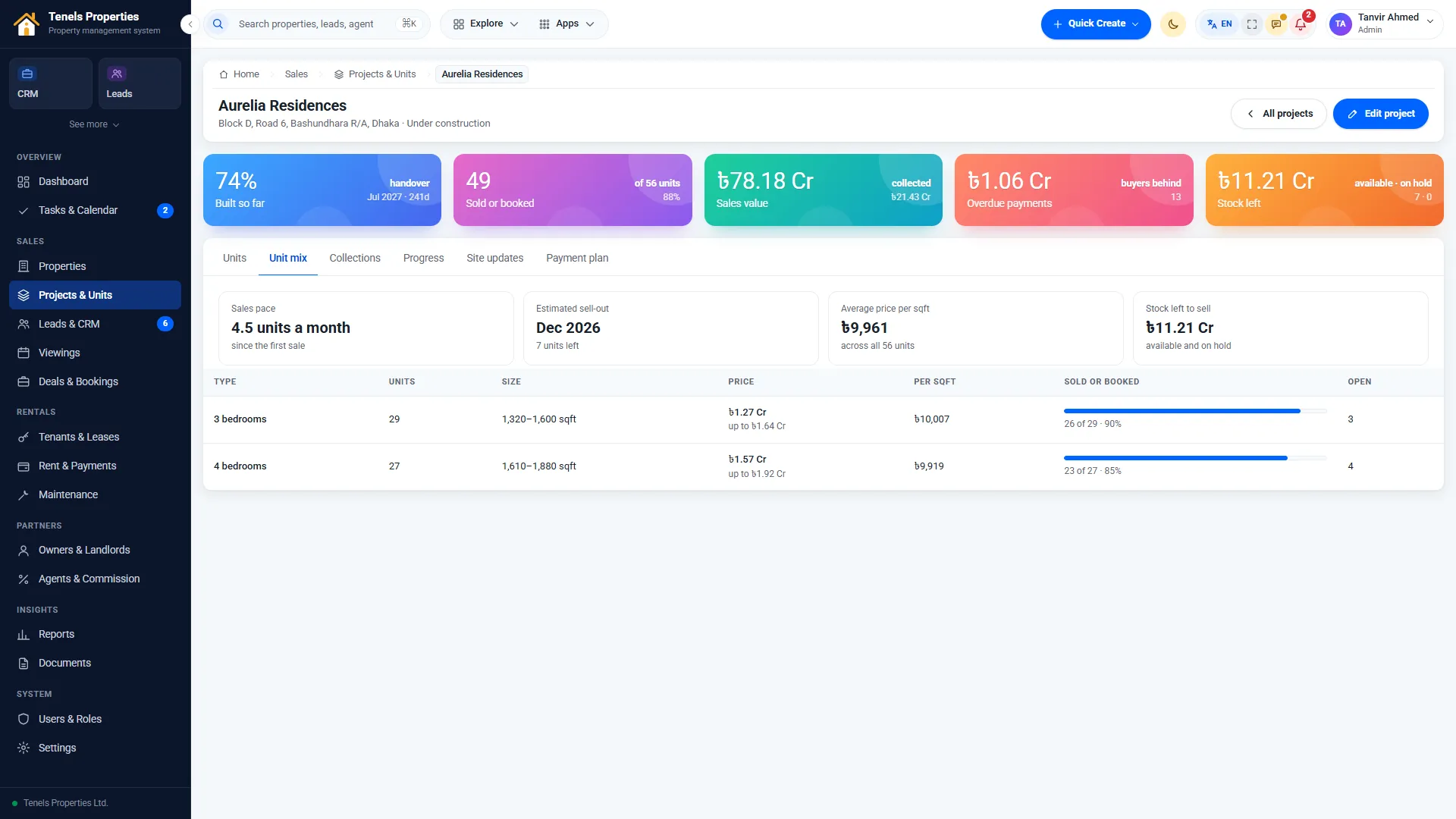
Everything included
Search anything with ⌘K, add records from Quick Create, and bring existing data in with Import.
More screens
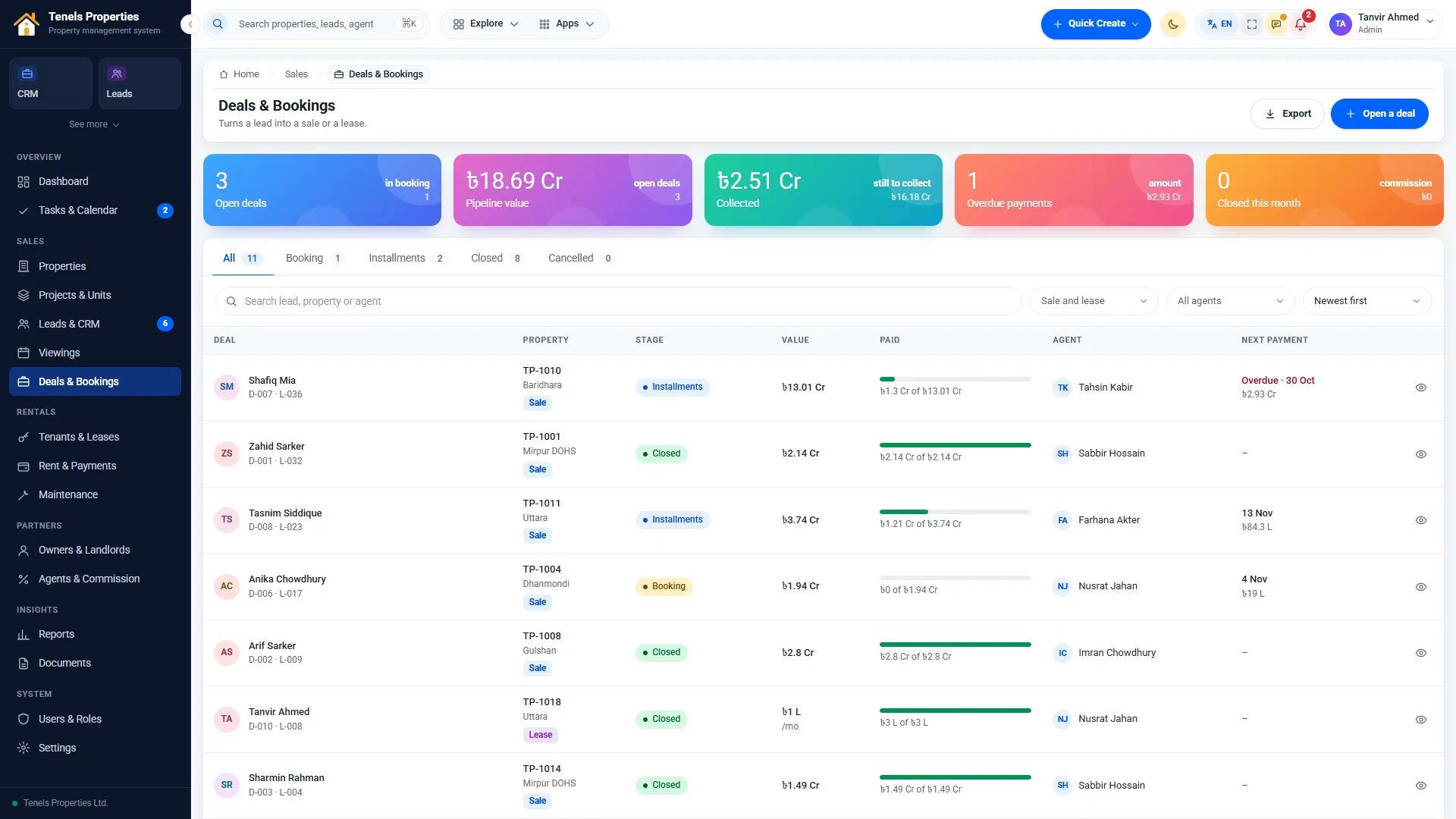
Open, installment and closed deals, with how much is paid.
What each buyer has paid, and who is behind.
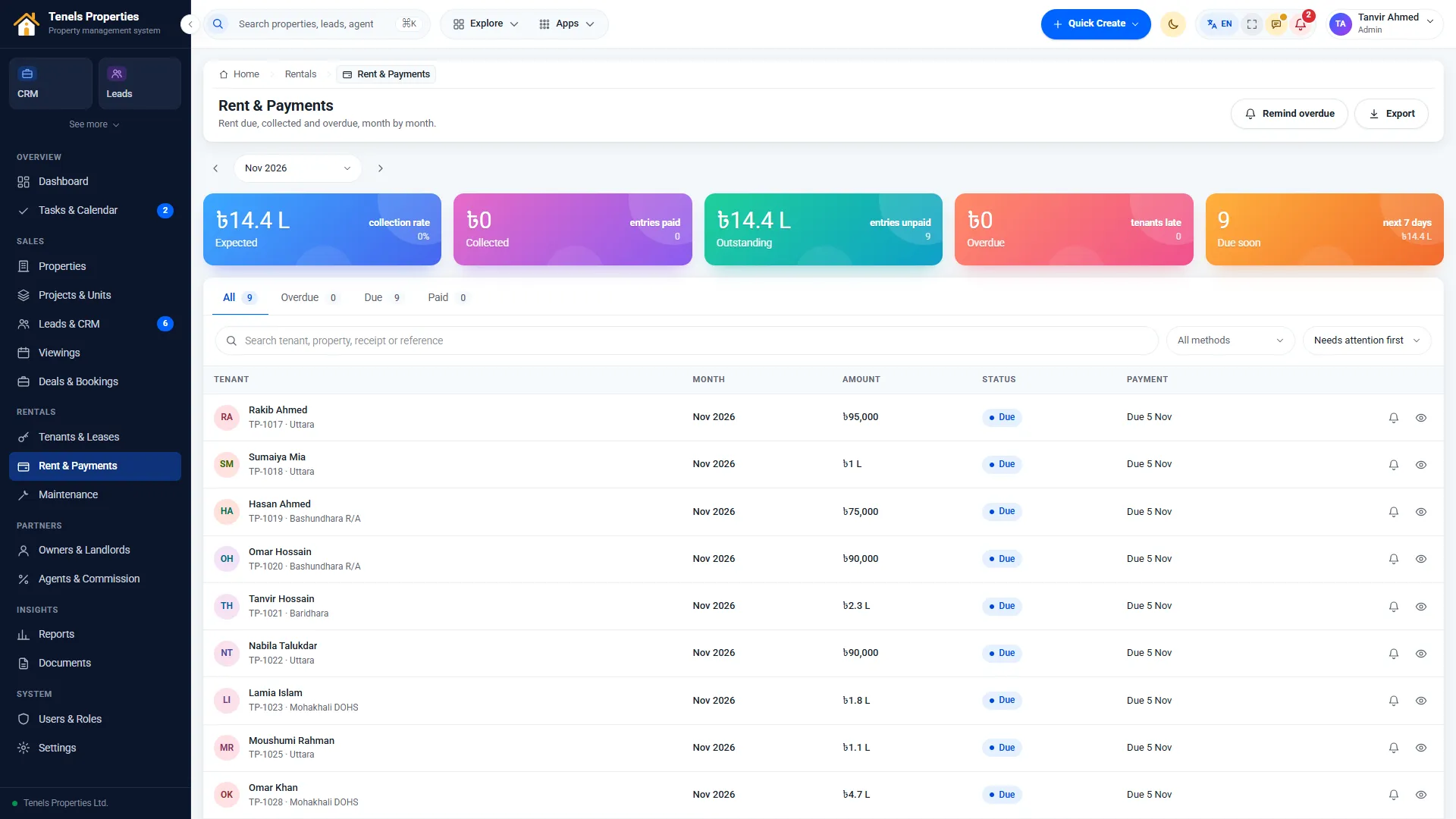
Expected, collected and overdue rent for the month.
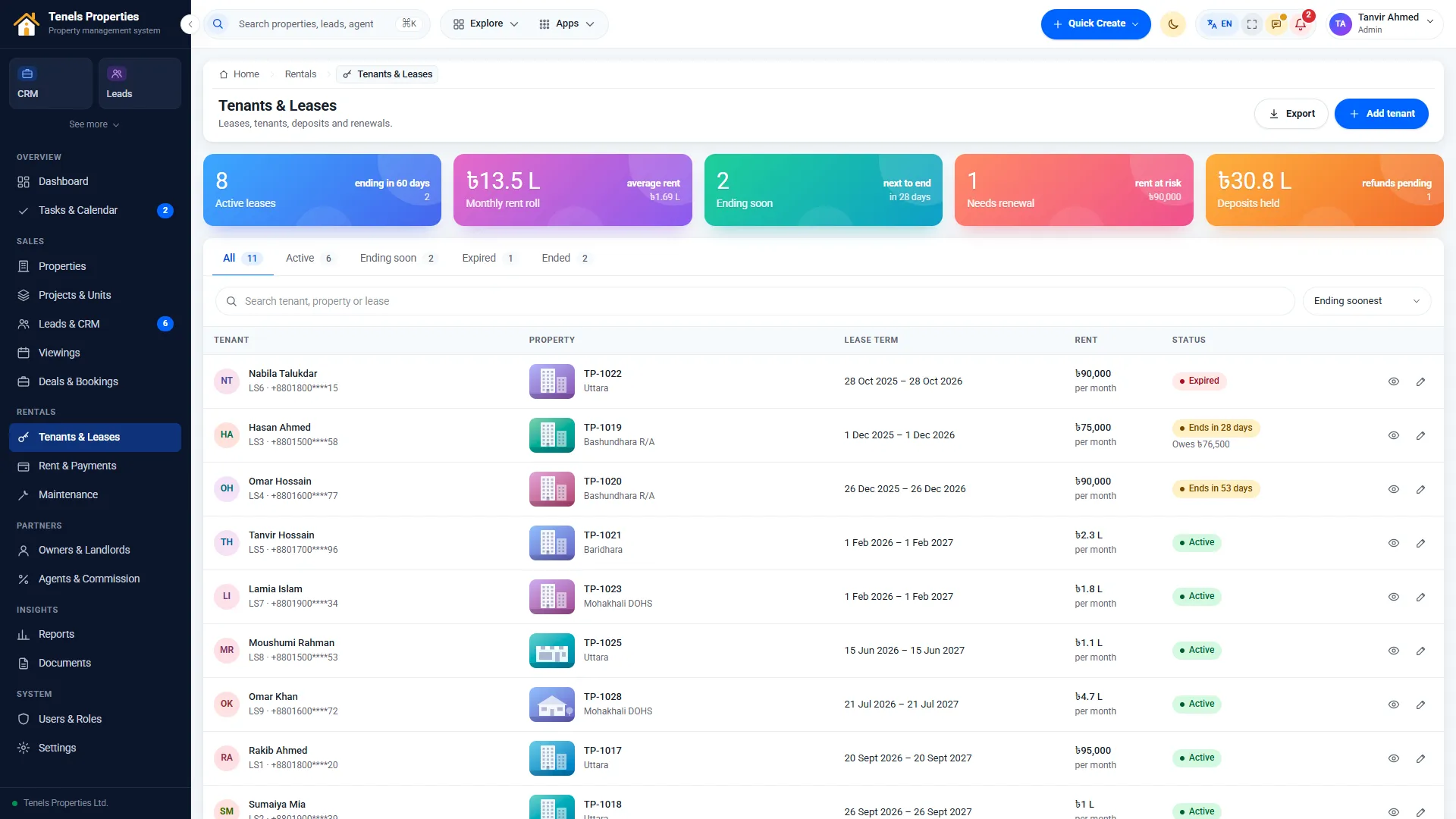
Every tenant, lease and renewal date.
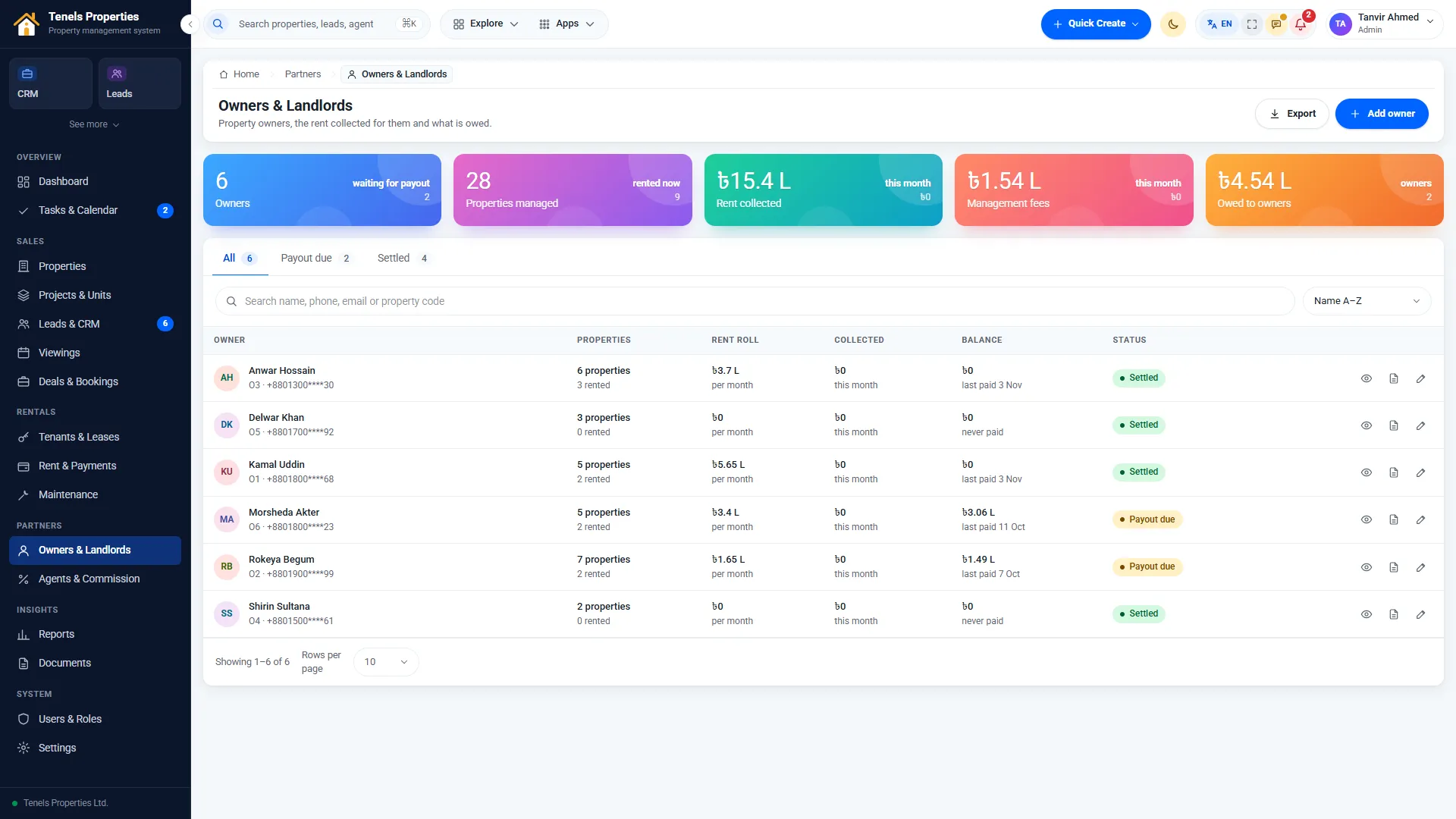
Owners and the properties they hold.
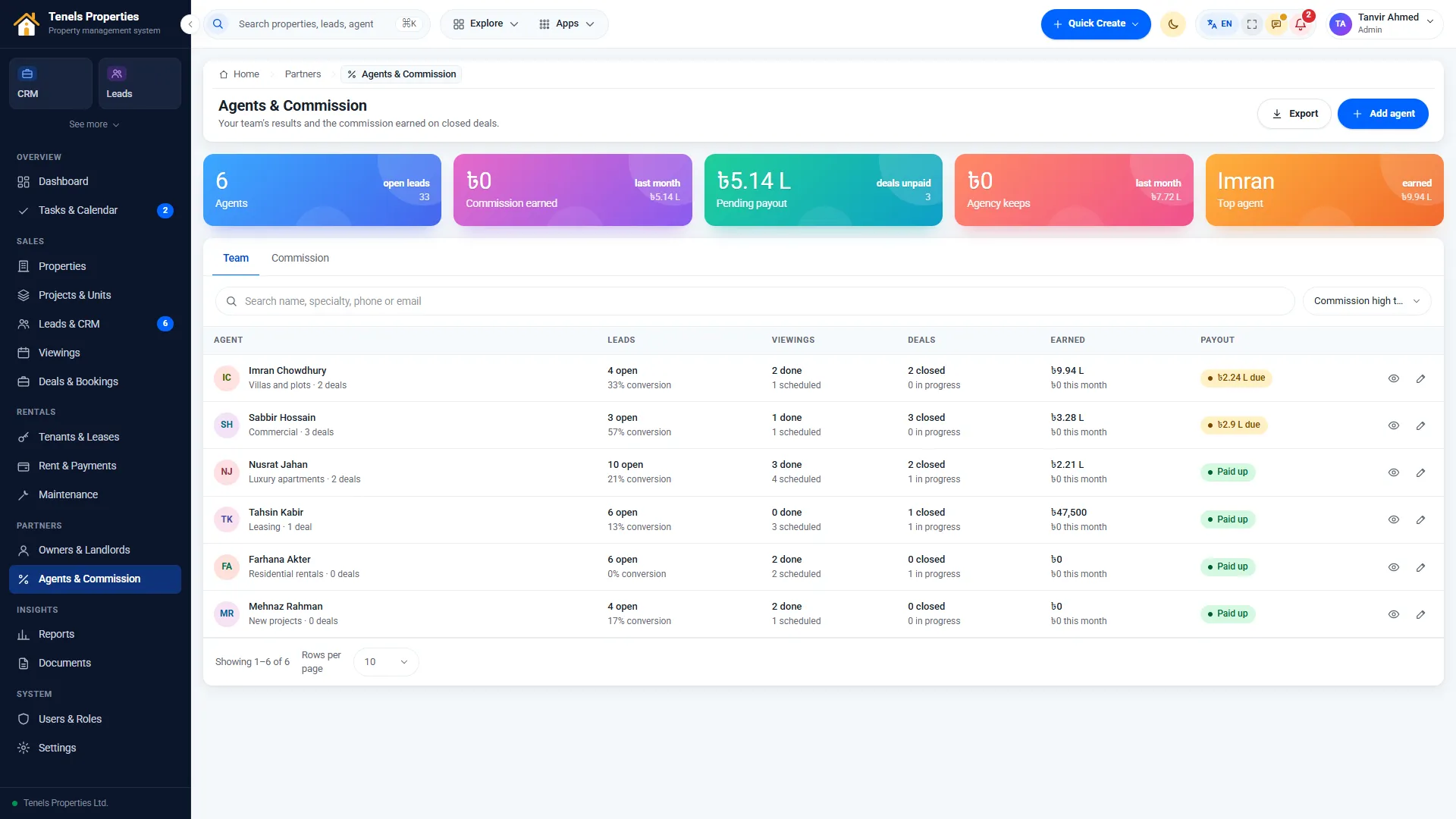
Agents, their deals and their commission.
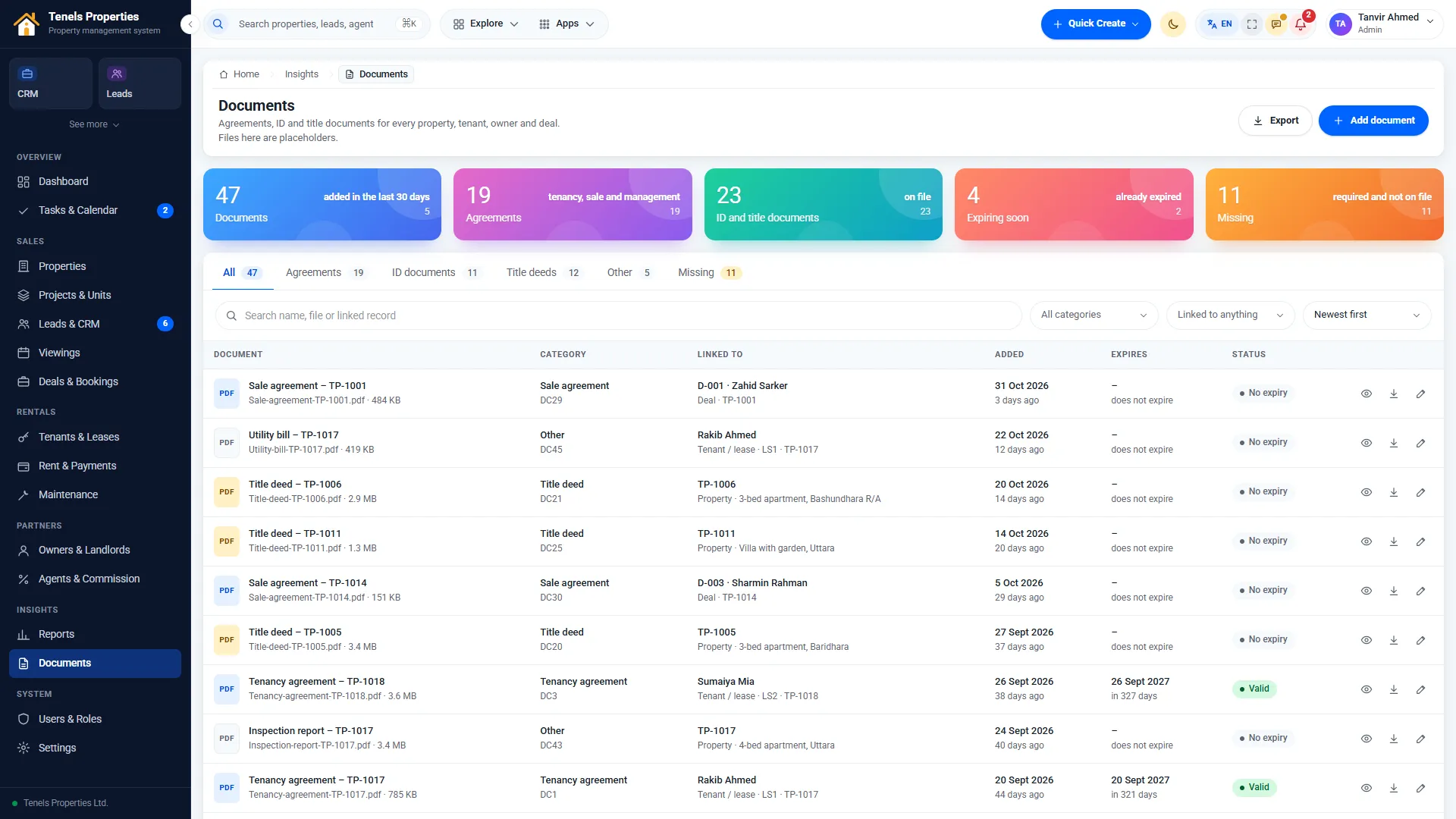
Files kept next to the property or deal they belong to.
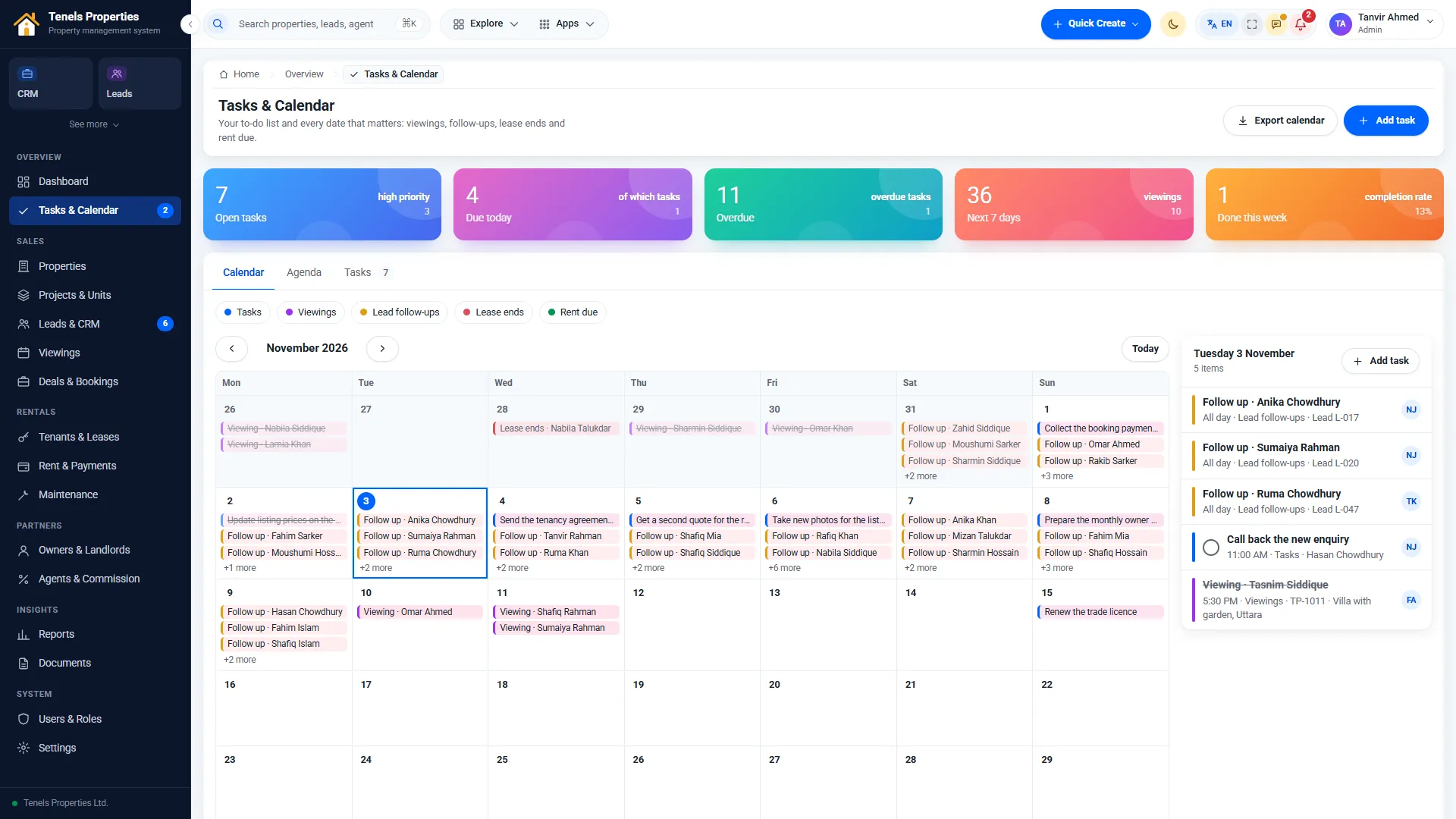
Follow-ups and to-dos for the team.
Sales pace and sell-out estimate by unit type.
Construction progress, units and money for each building.
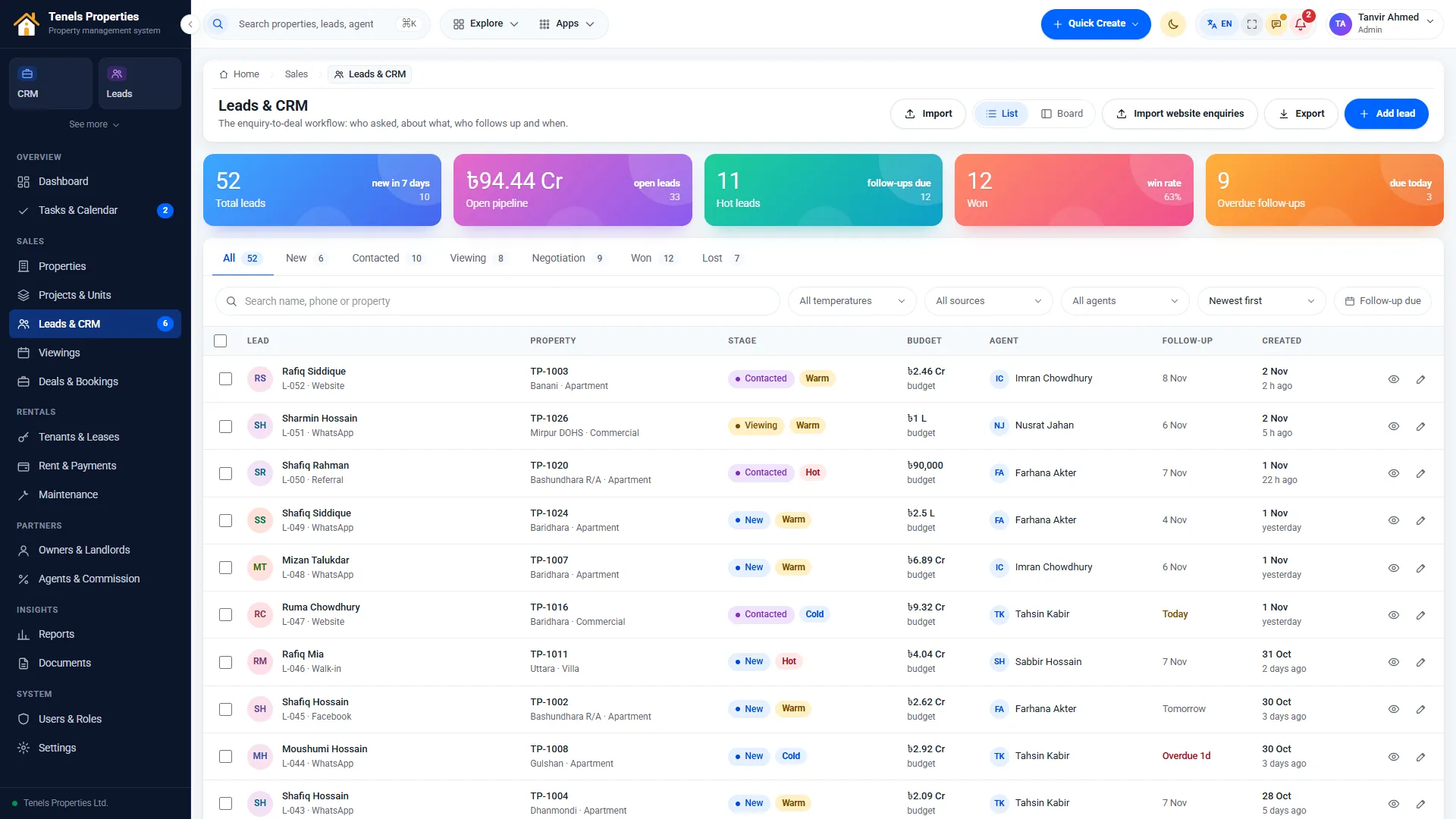
Search and filter every lead by stage, source and agent.
01 / 11
Book a demo and we will walk through the parts that matter to your team: sales, rentals, projects or all three.
More from Tenels
An online clothing storefront for Bangladesh: colour preview, BDT checkout, Cash on Delivery and mobile banking.
View productAn online farm-inputs shop for Bangladesh: seeds, feed, fertiliser and tools, Cash on Delivery, order tracking and farming advice.
View productThe staff console for a courier network: control tower, dispatch planning, hub scanning, problem queues and cash reconciliation.
View productMulti-company HR and attendance: people, leave, time, pay, hiring and approvals in one role-aware system.
View product